Is 50°C Hot for a CPU? Idle, Gaming & Load Explained (2026)
No, 50°C is not hot for a CPU. It is generally safe for most modern processors. At idle, it may be slightly warm, but during gaming or heavy tasks, 50°C is an excellent temperature and shows that cooling is effective.
Seeing your CPU reach 50°C can feel alarming, but the number alone does not reveal whether there is a problem. The real answer depends on when the temperature appears and what your processor is doing.
What Counts as a Normal CPU Temperature?
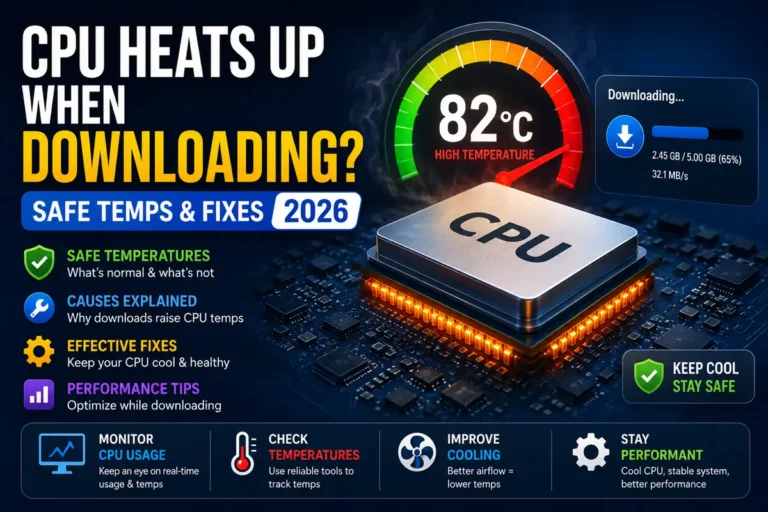
For most modern CPUs, temperatures between 30°C and 85°C are generally considered normal, depending on the workload. Brief spikes into the high 80s may also occur during demanding tasks, but temperatures that remain at 90°C or above can indicate overheating or inadequate cooling. Since every processor has a different thermal limit, the manufacturer’s specifications should be treated as the final reference.
50°C at Idle: Normal or Slightly Warm?
An idle CPU temperature of 50°C is generally safe, but it is slightly warm for many desktop systems. It may still be normal for laptops, compact PCs, warm rooms, or systems with quiet fan settings. However, if the temperature keeps rising while the computer is doing nothing, checking background processes, airflow, dust buildup, and the CPU cooler may be helpful.
Is 50°C Good or Bad for Gaming?
A CPU temperature of 50°C while gaming is very good and well within a safe range. Gaming usually places more load on the processor, so temperatures higher than 50°C are also common. A reading this low generally indicates effective cooling, good airflow, or a game that is not heavily using the CPU.
What Does 50°C Mean Under Heavy Load?
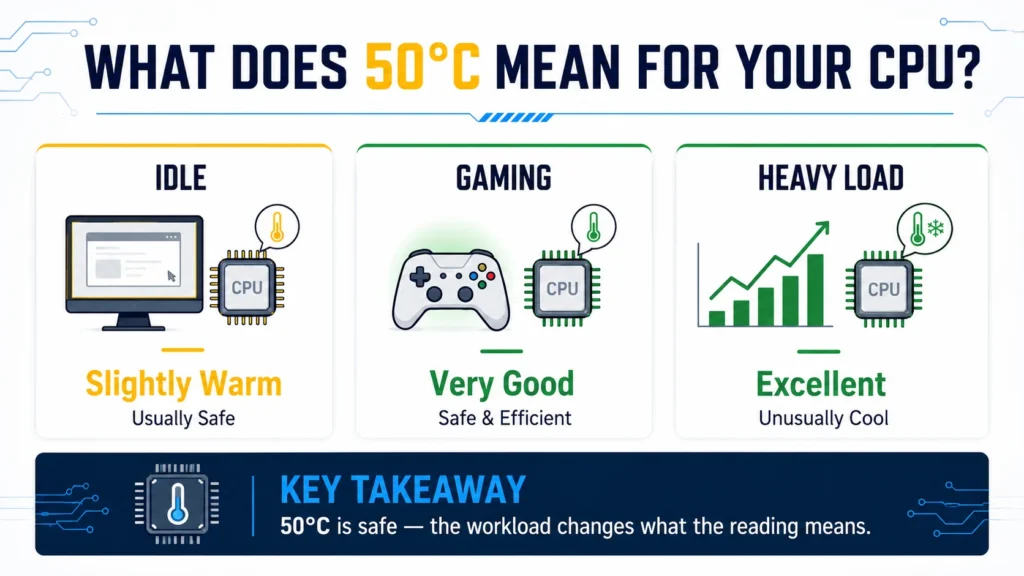
A CPU temperature of 50°C under heavy load is excellent and unusually low for most systems. It generally indicates an effective cooling setup, good airflow, a power-efficient processor, or a workload that is not fully utilizing the CPU. If the reading comes from a stress test with sustained high CPU usage, 50°C suggests that the processor is operating comfortably within a safe temperature range.
Intel vs AMD: Does It Make a Difference at 50°C?
Yes, it does matter slightly. Intel and AMD CPUs behave differently when it comes to temperature. Here is a quick comparison:
| Temperature Factor | Intel CPU | AMD Ryzen CPU |
| Maximum operating temperature | Varies by model; many are rated up to around 100°C | Varies by model; many are rated around 90°C to 95°C |
| Typical idle temperature | Often around 30°C to 50°C, depending on the model and system | Often around 35°C to 60°C, depending on the model and system |
| What 50°C means | Usually normal; it may be slightly warm at idle | Usually normal; it may be slightly warm at idle |
| Thermal behavior | Depends on the exact model, workload, cooling, and settings | Depends on the exact model, workload, cooling, and settings |
Some Ryzen processors may report relatively warm idle temperatures because of boosting behavior, background activity, sensor reporting, and fan settings. Therefore, 50°C at idle can be normal, but it should be evaluated using the exact CPU model, CPU usage, cooling setup, and the manufacturer’s official temperature limit.
Why Laptop CPUs Run Hotter Than Desktop CPUs:
Laptop CPUs usually run hotter than desktop CPUs because laptops have less internal space for airflow and use smaller cooling components. Their compact design also places heat-producing parts close together, making it harder to remove heat efficiently.
Smaller fans and heatsinks: Laptops cannot accommodate the large cooling systems used in desktops.
Restricted airflow: Thin cases provide fewer vents and less room for air circulation.
Closely packed components: The CPU, GPU, battery, and other parts generate heat within a limited space.
Shared cooling systems: Many laptops use the same heat pipes and fans to cool both the CPU and GPU.
Quiet and slim designs: Manufacturers may limit fan speed to reduce noise and maintain a thinner design.
As a result, higher CPU temperatures are generally more common in laptops, although the temperature should still remain within the processor manufacturer’s safe operating limit.
Your CPU Model Matters More Than Any Single Number:
Every CPU has a maximum operating temperature set by the manufacturer. Intel and AMD commonly list this as Tjunction or Tjmax, depending on the product page. These numbers vary between chips.
An Intel Core i5-12400 has a maximum operating temperature of 100°C. An AMD Ryzen 5 5600X has a maximum operating temperature (Tjmax) of 95°C. A high-end Intel Core i9-13900K also has a maximum operating temperature of 100°C. At 50°C on any of these chips, you are 45°C to 50°C below the listed maximum. You have a massive buffer.
If you want to know exactly how much headroom your specific CPU has, just search for its name followed by “TjMax” or “max temp” and you’ll find the number in seconds.
What Can Keep a CPU Around 50°C?
A CPU may stay around 50°C because of its workload, cooling setup, and surrounding conditions. Depending on whether the system is idle or under load, this temperature can result from several factors:
Effective CPU cooling: A good air cooler or liquid cooler can remove heat efficiently.
Proper case airflow: Well-positioned intake and exhaust fans help prevent warm air from building up.
Low or moderate CPU usage: Light applications and background tasks generate less heat than gaming or rendering.
Cool room temperature: Lower ambient temperatures make it easier for the cooling system to control CPU heat.
Correctly applied thermal paste: Proper contact between the CPU and cooler improves heat transfer.
Power-efficient settings: Undervolting, balanced power modes, or lower power limits can reduce heat output.
A stable reading of around 50°C is usually not concerning, but its meaning depends on whether the CPU is idle, gaming, or handling a heavy workload.
How to Check Your CPU Temperature the Right Way:
To get an accurate CPU temperature reading, use a reliable hardware-monitoring tool and check the temperature under both idle and load conditions. Programs such as HWiNFO, AMD Ryzen Master, or Intel XTU can display real-time CPU temperatures, although manufacturer utilities may support only certain processors.
Open a monitoring tool: Launch the program and locate the CPU Package, Core Temperature, or Tctl/Tdie reading, depending on your processor.
Measure the idle temperature: Close demanding applications, allow the computer to sit for about 5–10 minutes, and then note the current temperature.
Check the temperature under load: Run a game, demanding application, or stress test and monitor the CPU for several minutes.
Record the maximum reading: Focus on the average and maximum temperatures rather than judging the CPU by one brief spike. AMD Ryzen Master, for example, reports both average and peak readings.
Monitor CPU usage as well: A temperature reading is meaningful only when you know how heavily the processor is being used.
Compare it with your CPU’s official limit: Check the specifications for your exact processor model to determine whether the recorded temperature is within its safe operating range.
For consistent results, test the CPU under similar room temperatures and workloads each time. This makes it easier to identify genuine cooling problems instead of normal temperature fluctuations.
When Should You Actually Start Worrying?
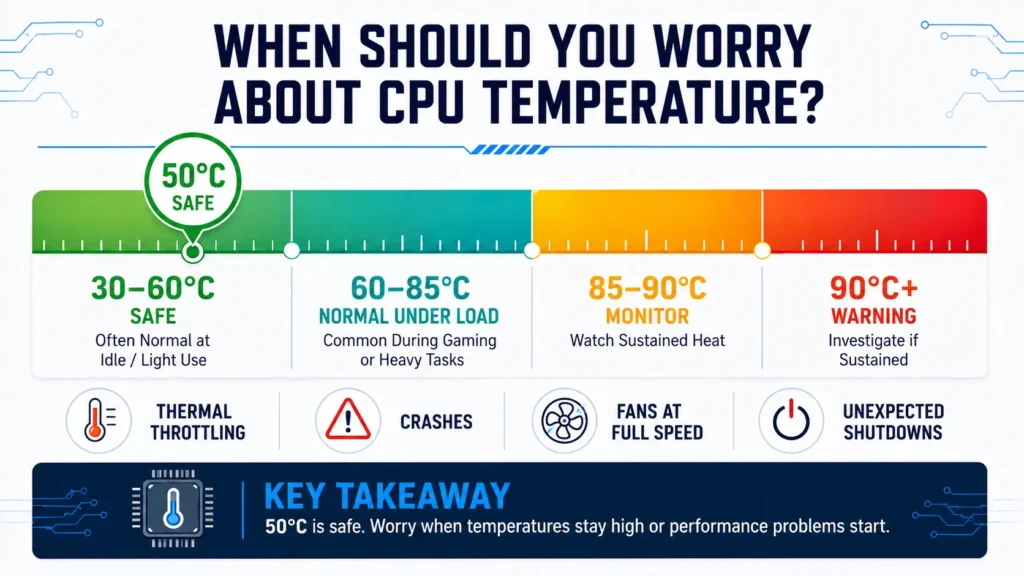
You should start worrying when your CPU temperature stays unusually high for long periods, approaches the processor’s maximum thermal limit, or begins affecting system stability and performance. Brief temperature spikes are usually normal, but consistent overheating may indicate a cooling problem.
Common warning signs include:
- Temperatures remaining around 90°C or higher
- Noticeable performance drops caused by thermal throttling
- Frequent system freezes, crashes, or unexpected shutdowns
- Cooling fans running at maximum speed most of the time
- Unusually high temperatures while the computer is idle
- Temperatures repeatedly reaching the CPU’s official maximum limit
If you notice several of these signs, check the airflow, remove dust, inspect the CPU cooler, and compare the readings with the official specifications for your processor model.
What to Do If Your CPU Temperature Keeps Rising:
If your CPU temperature keeps rising, first close demanding applications and check Task Manager to identify any process causing unusually high CPU usage. Make sure the system’s fans and air vents are clean and unobstructed, and improve airflow by placing the computer on a hard, ventilated surface. If temperatures continue to increase, inspect the CPU cooler, confirm that its fan is working properly, and consider replacing old thermal paste. You should also disable unnecessary overclocking or restore the processor’s default power settings. If the temperature approaches the CPU’s maximum safe limit or the system begins throttling, freezing, or shutting down, stop using it until the cooling issue has been resolved.
Frequently Asked Questions:
1. Is 50°C a Safe Temperature for a CPU?
Yes, 50°C is safe for most modern CPUs. Its meaning depends on the workload: it may be slightly warm at idle but is considered very good during gaming or other demanding tasks.
2. Is 50°C Too Hot for a CPU at Idle?
A temperature of 50°C at idle is slightly warm for many desktop PCs, but it is not usually dangerous. It can be normal for laptops, compact systems, warm rooms, or computers running background processes.
3. Is 50°C Good While Gaming?
Yes, 50°C while gaming is an excellent CPU temperature. It usually indicates effective cooling, good airflow, or a game that is not placing a heavy load on the processor.
4. Is 50°C Normal Under Heavy Load?
A CPU temperature of 50°C under heavy load is unusually low but completely safe. It may indicate a powerful cooling system, an efficient processor, reduced power settings, or a workload that is not fully using the CPU.
5. At What Temperature Does a CPU Begin to Overheat?
Many CPUs begin approaching temperatures around 90°C or higher, especially when the temperature remains there for long periods. However, the exact maximum operating temperature varies by processor model.
6. Why Does My CPU Temperature Keep Changing?
CPU temperatures change as processor usage, fan speed, room temperature, background activity, and power consumption fluctuate. Brief increases are normal, but a temperature that continuously rises may indicate a cooling or airflow problem.
Conclusion:
A CPU temperature of 50°C is generally safe and should not be a cause for concern. It may be slightly warm when the system is idle, but it is an excellent reading during gaming or heavy workloads. However, temperature should always be interpreted alongside CPU usage, system type, cooling performance, and the thermal limits of the specific processor model. Instead of focusing on one brief reading, monitor temperature trends and take action if the CPU repeatedly approaches 90°C, begins throttling, or causes crashes and unexpected shutdowns.